
How to set freeze protection in the iAquaLink app
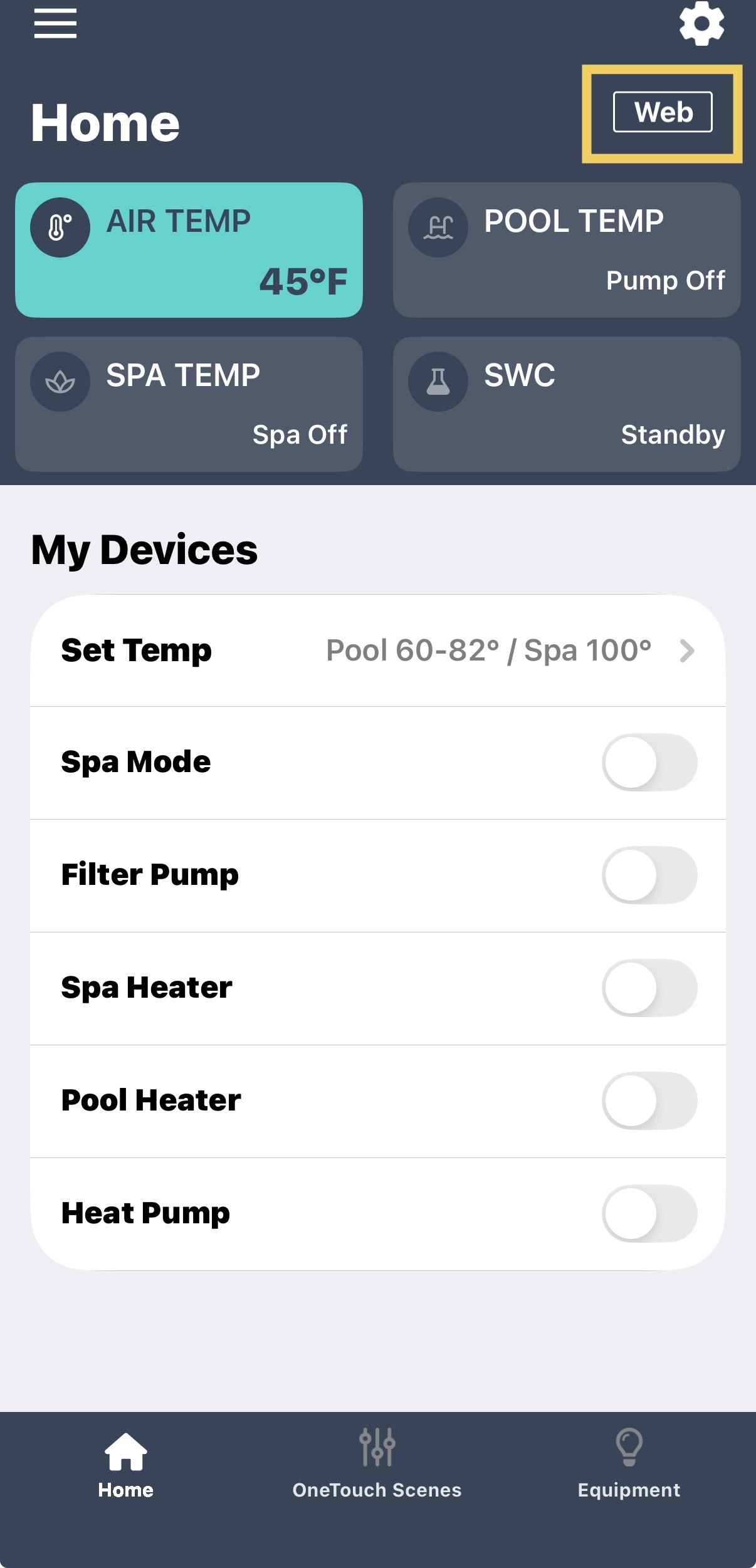
Open the iAquaLink app to the Home screen and tap Web in the top right. While you're here, check that the air temperature looks right. In the example, Air Temp shows 45°F.
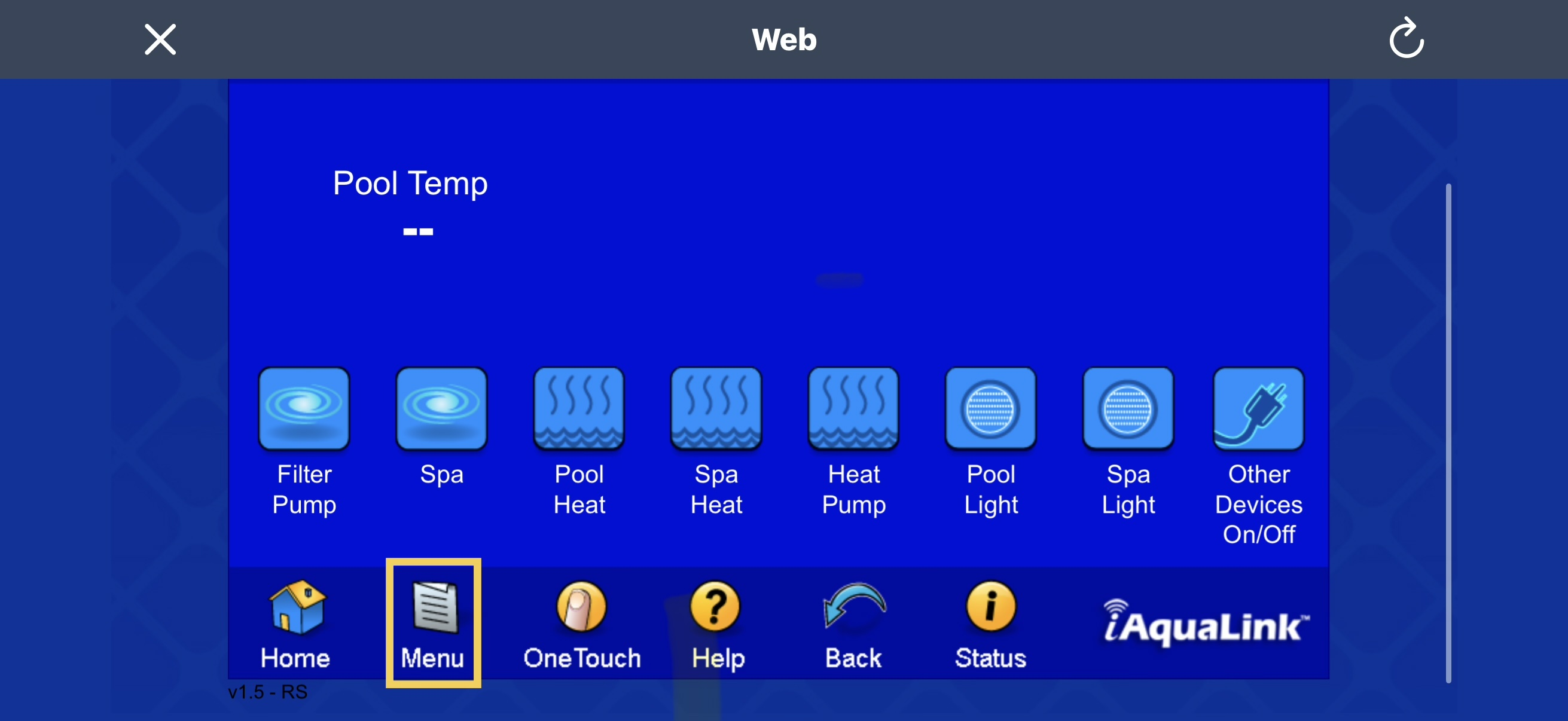
In the Web view, tap Menu on the button bar at the bottom.
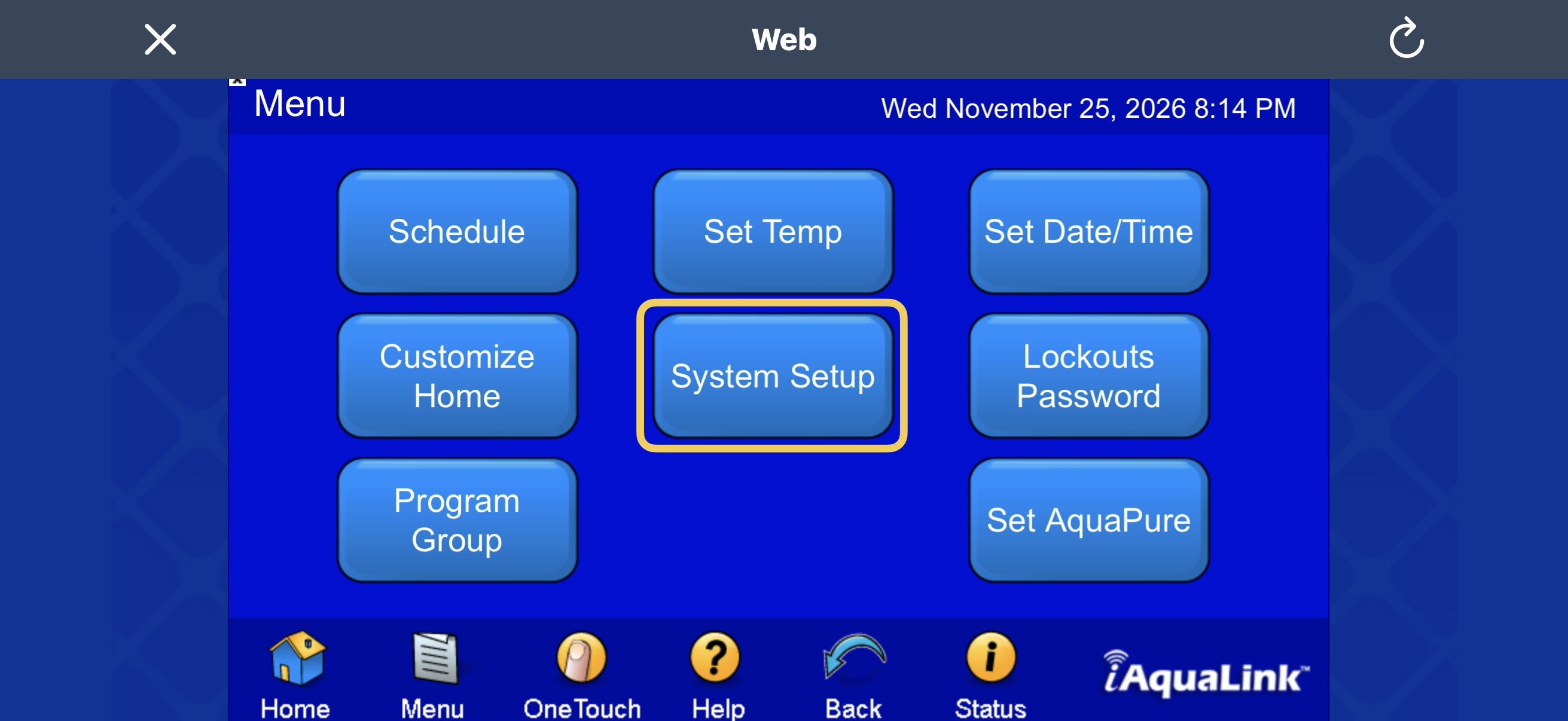
On the Menu grid, tap System Setup.
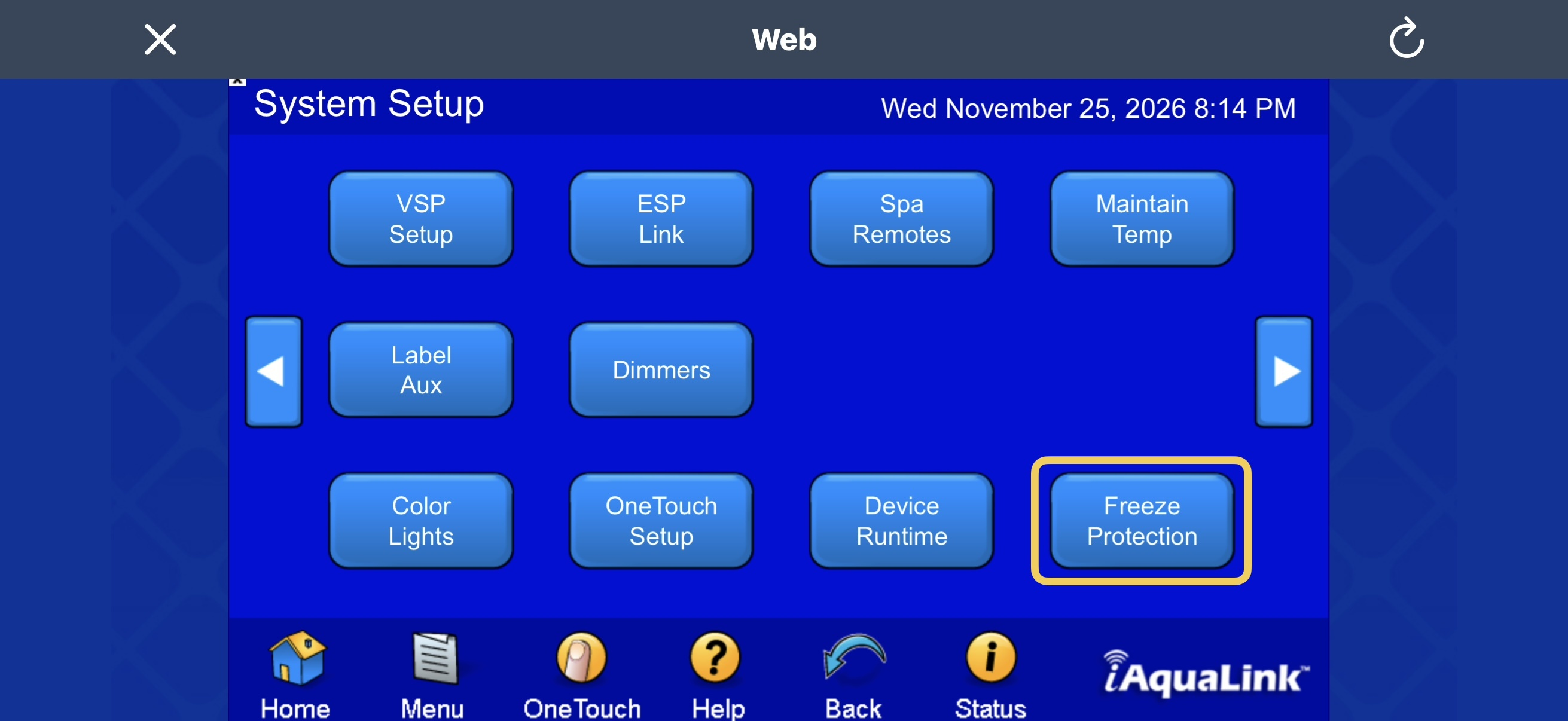
On the System Setup page, tap Freeze Protection. If you don't see it, use the arrows on the sides to page through more options.
On the Freeze Protect screen, assign the right devices, set the temperature from 34°F to 38°F (Jandy's default is 38°F) and save.
- An X means that device is assigned to freeze protection. Assign the filter pump, plus the spa, water features, and any extra pumps. Do not assign the heater or heat pump. Water still has to flow through the heater when the pump runs, but you don't need to fire it for freeze protection. In the example, Filter Pump and Spa are marked, which is correct for those two. Air Blower, Pool Light, and Spa Light are not marked. If a water feature is on your list (for example Laminar LED LT), assign it too. Use Page Down if your list is longer.
- Set Freeze Temp to 38°F, which is Lucent's recommendation. Jandy's AquaLink RS OneTouch Owner's Manual (sheet 6593, Rev M, Section 7.4) says the activation temperature can be set from 34°F to 42°F, and that the default is 38°F. It also says freeze protection turns off within 2°F of that setting. The example screenshot shows 34. If yours is not 38, enter 38 on the keypad, tap Enter, then tap Save.
- Tap Save when you're done.
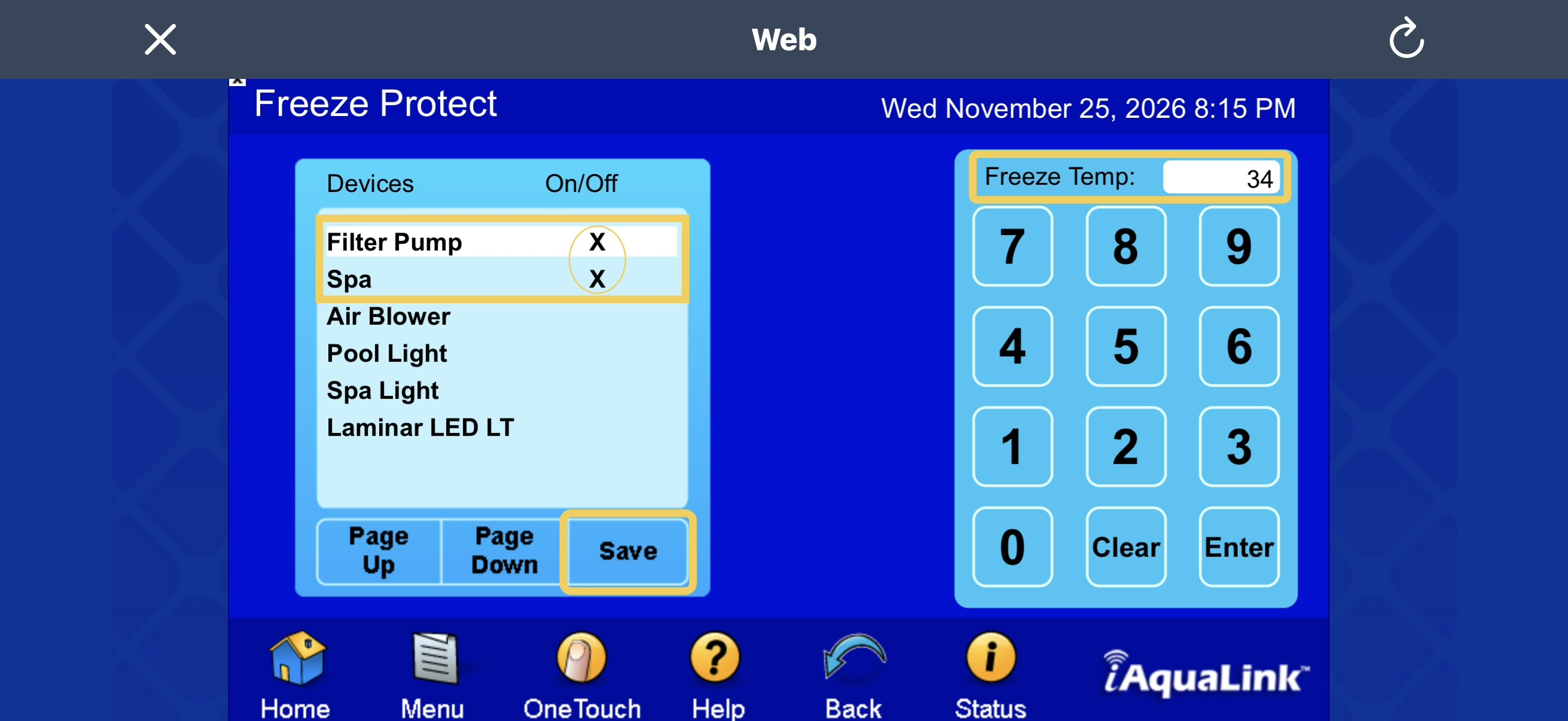
Why 38°F? Freeze protection turns your pumps on when the air sensor reads the temperature you set. At 38°F it starts before it's freezing, which gives you a cushion if the sensor reads a little warm or the temperature drops fast overnight. At 34°F it waits until it's nearly freezing. Some owners set it lower so the pumps run less and use less electricity, but that leaves less room for error. Freeze damage usually takes a hard freeze that lasts a while, but it isn't worth the risk.
Jandy's same manual section says freeze protection turns assigned equipment on when the AquaLink RS detects freezing conditions, and that the main filter pump is assigned by default. It also cautions that freeze protection is meant for short freezes, and that turning the spa on during freezing weather can override protection for other equipment (for example a booster pump or cleaner). Freeze protection cannot run anything without power.
Why it matters
Freeze protection only helps if it is on, the right equipment is assigned, and the system has power. In Texas, most pools stay open all winter, so the job is to keep water moving whenever temperatures are at or below freezing. See pool freeze damage repair and how to get your pool ready for a hard freeze.
Need a hand?
If freeze protection isn't turning the pump on, or you want us to check your settings, call Lucent Pools at 817-339-6770. Monday through Friday, 8:00 AM to 6:00 PM. Saturday closed. Sunday closed.
If the pump isn't running on a freezing night, turn it on by hand and call. See pool automation repair.
We repair pool automation in Fort Worth, Frisco, Lewisville, and most of the DFW Metroplex.
Based in Dallas–Fort Worth, serving Fort Worth, Frisco, Lewisville, and most of the DFW Metroplex.
We repair in-ground pools and in-ground spas. We do not repair portable hot tubs.
Frequently asked questions
What temperature should I set for freeze protection?
We recommend 38°F. Jandy's AquaLink RS OneTouch Owner's Manual (6593, Rev M, Section 7.4) lists a range of 34°F to 42°F, with a default of 38°F. The example screenshot shows 34 in the Freeze Temp field; change it to 38 if it isn't already, then save. If the pump isn't running on a freezing night, turn it on by hand and call 817-339-6770.
Which devices should I assign to freeze protection?
Assign the filter pump, plus the spa, water features, and any extra pumps. Jandy assigns the filter pump by default. Do not assign the heater or heat pump. Water still has to flow through the heater when the pump runs, but you don't need to fire it for freeze protection. In the example, Filter Pump and Spa are marked; if a water feature such as a laminar is on your list, assign that too. Lights and the air blower do not need to be assigned. If you're unsure, call 817-339-6770.
Why isn't my freeze protection working?
Common causes are a failed or misplaced air sensor, a pump or circuit that isn't assigned, a timer or schedule overriding it, or a tripped breaker. It also can't run during a power outage. If the pump isn't running on a freezing night, turn it on by hand and call 817-339-6770. For a freeze with no power, see how to get your pool ready for a hard freeze.